Frequently asked questions
Everything people ask before they start Bolus: what it is, how it helps with food, exercise and weight, what it costs, and how it fits around the rest of your life.
About Bolus
What is Bolus?
Food, exercise and weight support for adults living with type 2, type 1 or pre-diabetes. Bolus uses your food, activity, weight and, if you use a CGM, your glucose to understand your health in the context of diabetes. It plans a week of meals around how you like to eat and adapts it when plans change, brings in your activity from Apple Health, keeps your weight goal alongside the rest, and has Emily, the coach built into the app, to help turn it all into realistic next steps. It’s built to take on more of the work, rather than handing you more advice. There’s no calorie counting and no food diary to fill in: you just tell Bolus whether you ate the meals in your plan.
How does Bolus work?
It starts with food. You get a week of breakfasts, lunches and dinners already decided around how you like to eat, and Bolus helps you buy it from your usual UK supermarket, grouped by aisle. Through the week you tell it whether you ate each meal, and when plans change you can swap a meal, eat out or use what’s already in the house: Bolus reshapes the rest of the week around it, including the ingredients you’ve already bought. Your activity comes in from Apple Health without logging anything twice, and your weight goal sits alongside both. A short weekly review looks back at what worked and what got in the way, and the next week is built around what you’d repeat. Emily follows up along the way, so you’re never starting from scratch.
Who is Bolus for?
Adults in the UK living with type 2, type 1 or pre-diabetes who want to eat better, move more or work towards a weight goal, and find it hard to make that happen week after week. If you’ve had plenty of advice and what you’re short of is support that fits real life, Bolus is for you. You need to be 18 or over and living in the UK.
Why is Bolus different to other health apps and programmes?
Most apps hand you the knowledge and leave the doing to you: a plan to follow, a diary to fill in, a separate app for your steps and another for your weight, and a coach you speak to once a fortnight. Bolus brings your food, activity, weight and glucose together and takes on more of the work: the meals are decided, the week adapts when plans change, activity comes in on its own, and Emily follows up. She’s built into the app, so you get an answer at 6pm on a Tuesday instead of joining a waiting list. And there’s no calorie counting and no food diary to keep up.
Who is Emily?
Emily is the coach built into Bolus. She brings together what Bolus knows about you to give practical, personalised support across food, exercise, weight and everyday life with diabetes. Ask her about your food, activity, weight or glucose and she answers from the information Bolus already has. She helps you agree realistic goals, suggests a next step that fits your week, and checks in on how it went. You can message her any hour, with no appointment and no judgement. It’s the app itself answering, not a person on shift, and Emily doesn’t give medical advice. Emily is part of Bolus Premium; the weekly food plan is free.
Food, exercise and weight
Will Bolus help me lose weight?
If weight is something you want to work on, you can set a target and follow your progress alongside your food, activity and glucose. Emily helps turn it into realistic next steps, such as keeping your planned lunches or adding a walk, follows up, and helps you adapt as you go. The food behind it comes from a nutrition framework developed by a specialist diabetes dietitian: meals built around vegetables, beans and pulses, higher-fibre carbs and sensible portions, which is the kind of eating weight loss is usually built on. We won’t promise a number. Knowing what to do was never the hard part; doing it in a week that’s already full is, and that’s what Bolus takes on. Your weight goal is part of Bolus Premium.
How does Bolus help with exercise?
Connect Apple Health and Bolus brings in your everyday activity and workouts, so there’s nothing to log twice. It works from the physical activity guidance the NHS recommends, which for most adults is around 150 minutes of moderate activity a week, and starts from what you already do. Every bit counts: Emily helps you choose a realistic next step and builds from there. If you use a CGM, you can also see your activity alongside your glucose. Exercise is part of Bolus Premium. Read more about our approach to exercise.
Is Bolus a diet?
No. There are no shakes, no bars, no meal replacements and no banned food lists. It’s everyday cooking: real meals you’d be happy to put in front of anyone, built around how you like to eat. Carbs aren’t off the table, you just get higher-fibre versions and sensible portions. And it isn’t all or nothing. The aim is a better average held over time, not a perfect week. It’s support you keep using, not a diet you go on and come off.
What do you mean by healthy food?
Concrete, filling meals built around vegetables, beans and pulses, higher-fibre carbs where they fit, fish, eggs, meat, yoghurt and olive oil, from a nutrition framework developed by a specialist diabetes dietitian who previously worked in NHS diabetes services, and informed by UK guidance. It isn’t “diabetic food”, a low-fat diet, or shakes and bars. Foods sold as diabetic or sugar-free don’t earn a place: they cost more and offer no real benefit. You tell Bolus how you like to eat, including vegetarian, pescatarian, vegan or lower-carb-style, and your plan is built around that. Read more about our approach to nutrition.
Are the recipes easy to make?
Yes, and you set how easy. Every meal carries an effort badge based on how long it takes to prepare: Easy is under about 6 minutes, Standard about 6 to 15, Tight about 16 to 30, and V.Tight is 31 minutes or more. In your settings you choose the effort you want for each meal on each day, so a busy Tuesday dinner stays quick while a relaxed Sunday can take longer. Bolus only offers meals that fit the time you’ve set for that slot.
Can I use Bolus with my family meals?
Yes. You set your household size and Bolus scales the portions and the shopping to match, so you’re cooking one meal for the table rather than something separate for yourself. The food is ordinary cooking the rest of the house will happily eat. The plan is still built around your preferences and the allergens you’ve listed, and a change to portion or household size applies to your next week rather than the one you’ve already shopped for.
Do you deliver food?
No. Bolus helps you buy the right ingredients from your usual UK supermarket, in store or online; you shop and check out yourself.
Paying for Bolus
How does paying for Bolus work?
Bolus has a free version and a paid one. The weekly food plan is free: the plans, the shopping, the swaps and the weekly review, with nothing to pay to start. Bolus Premium adds Emily, the coach you can message any hour, your weight goal, your exercise brought in from Apple Health alongside the rest, and a closer look at how individual meals sat with your glucose. You can pay monthly or yearly, through Apple, and the price is shown on the screen where you subscribe before you commit to anything. Your card details stay with Apple, and you can see the renewal date any time under Subscriptions in your Apple settings.
What do I get without paying?
The whole weekly food plan. Every week is planned around how you like to eat, the shopping is worked out for you, you can swap and reshuffle meals, mark them off as you go and read your weekly review, and if you connect a CGM your glucose chart and time in range are there too. It doesn’t run out and there’s no countdown: the free version is the food plan itself, not a taster of it. Premium adds Emily, your weight goal and your exercise on top.
Is there a free trial?
On the yearly plan, yes: seven days free before the first charge, for anyone Apple hasn’t already given an introductory offer in Bolus. Cancel before it ends and you aren’t charged. The monthly plan doesn’t have one, and what the screen where you subscribe says at the time is what applies. Either way the free version of Bolus is there for as long as you want it, so nothing is counting down on you.
Can I get a refund?
Payment goes through Apple, so Apple handles refunds: you request one at reportaproblem.apple.com. If something has gone wrong, email [email protected] as well and we’ll help where we can. None of this affects your legal rights.
Can I cancel my subscription?
Yes, any time. Payment goes through Apple, so you cancel in your Apple settings rather than in Bolus: tap your name, then Subscriptions, then Bolus, then Cancel Subscription. You keep Premium until the end of the period you’ve paid for, and then your account goes back to the free version. Nothing is deleted and your weekly plans carry on. Cancelling stops future charges but doesn’t refund one already taken, so cancel at least a day before the renewal date to be sure.
Joining Bolus
How do I join Bolus?
Bolus runs on iPhone. Download it from the App Store on your iPhone, and a short setup gets your first week ready. There’s nothing to apply for and no waiting list. If the install doesn’t work, email [email protected] and we’ll help.
I don’t have an iPhone, can I still join Bolus?
Not yet. Bolus runs on iPhone only at the moment and Android is on the way. Join the waitlist on the Bolus homepage and we’ll email you once, when it opens. There’s nothing else to do in the meantime.
I don’t live in the UK, can I still join Bolus?
Not yet. Bolus is for adults living in the UK: the meals, the shopping lists and the pack sizes are built around UK supermarkets, and you confirm you’re 18 or over and living in the UK when you join. Join the waitlist on the Bolus homepage and we’ll email you once, when Bolus is ready for you.
Medication, your care team and your CGM
I’m taking weight loss medication, will this work for me?
You can use Bolus alongside medication your prescriber has given you. Bolus supports your food, activity and weight goal only: it doesn’t know what you’re taking, it isn’t adjusted around it, and it gives no medical or dosing advice, so keep taking it exactly as prescribed and take any questions about the medication itself to your prescriber or care team. One practical note: appetite is often smaller on these medicines, and you can set a smaller portion size in your settings so the meals and the shopping match what you’ll actually eat.
My dietitian has prescribed me a meal plan. Can I still use Bolus?
If your dietitian has given you a specific plan, follow theirs. Bolus builds general healthy eating around your preferences; it doesn’t know your plan and can’t be tailored to a clinical one. You can set your diet type, allergens, foods to avoid and portion size so the weeks stay close to what you’ve been advised, but Bolus doesn’t replace clinical advice, so check with your dietitian before running the two together.
Does Bolus replace my diabetes team?
No. Bolus doesn’t dose insulin, count carbs for dosing, or provide medical care, and it isn’t a medical device. It gives food, exercise and weight support that sits alongside your usual clinical support, and it’s there between appointments rather than instead of them.
Does Bolus work with my CGM?
Optionally, yes. FreeStyle Libre connects through your LibreLinkUp login, and Dexcom through Apple Health. It’s display-only: you see your own glucose alongside your meals and activity, to put them in context. Bolus doesn’t use it to score or choose your meals, and it never gives medical or dosing advice. Your glucose chart and time in range are part of the free version, and the closer look at how individual meals sat with your glucose is part of Bolus Premium. You don’t need a CGM either way: Bolus works fully without one.
Your data and getting help
What if I want my data deleted?
You can delete your account from your settings in Bolus. Deletion is immediate and permanent: it erases your profile, plans, shopping lists, meal history and any connected glucose data, and only a small record that you accepted the terms is kept, for a limited period, for legal reasons. If you’d like a copy of your data first, or you’d rather we handled it, email [email protected]. See the Privacy Policy for the full detail.
I have questions, how can I contact someone?
Message Bolus on WhatsApp and you’ll get a real member of the team, not a bot. You can also email [email protected], or use the contact page. Once you’ve started, there’s Report an issue on any screen, and the help centre has step-by-step articles for using Bolus day to day.
Still have questions?
If you want to ask something before you start, message Bolus directly on WhatsApp.
Message Bolus on WhatsApp
Talk to a real member of our team, not a bot.
Download on the App Store
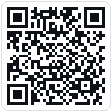 On a computer? Scan with your iPhone.
On a computer? Scan with your iPhone.